

A PDF with a password can't be opened by anyone who doesn't have it. That's the entire point: a contract, a payslip, a medical record, or anything else you'd rather not have readable by whoever finds the file on a shared drive or in a forwarded email thread.
This guide covers how to add a password, how to choose one that actually protects the file, and the questions people always ask afterwards.
Before you start
Two things worth knowing:
- A password protects the file, not the content's secrecy in transit. Anyone you send the password to can open, read, and re-share the file. Password protection stops accidental access, not a determined recipient.
- There's no "forgot password" recovery. PDF encryption has no back door. If you protect a file and lose the password, the file is effectively gone unless you have the original unprotected copy. Keep the original somewhere safe before you protect it.
The steps
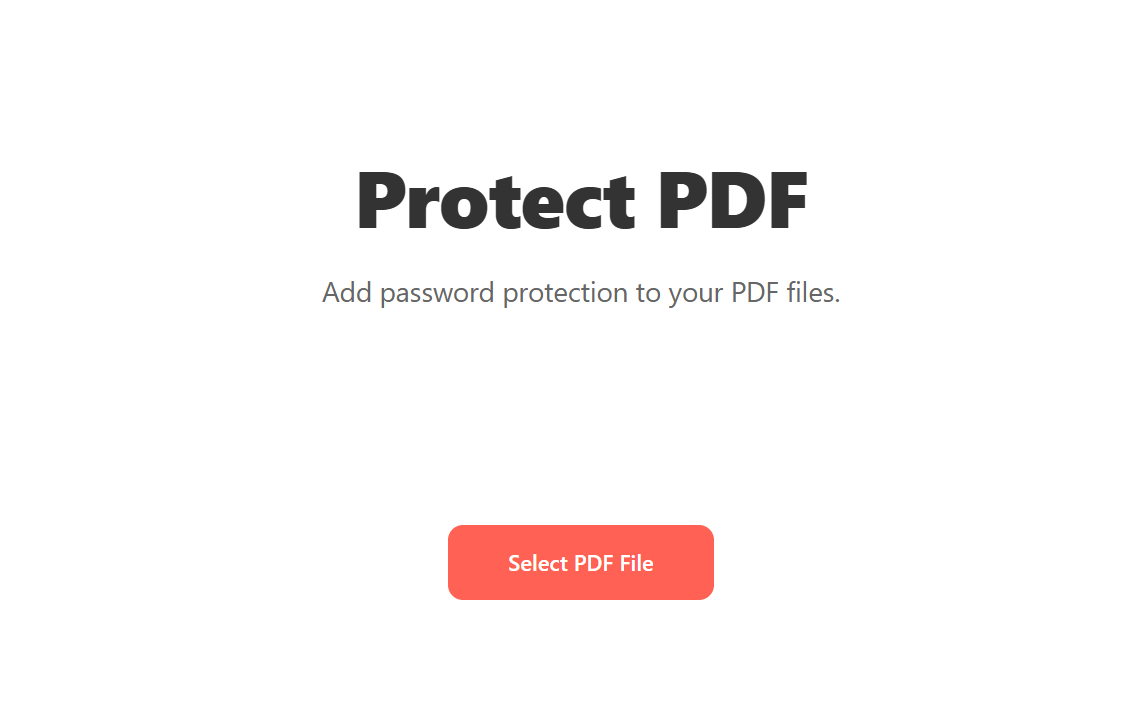
Open Blackpdf's Protect PDF tool and drop your file in.
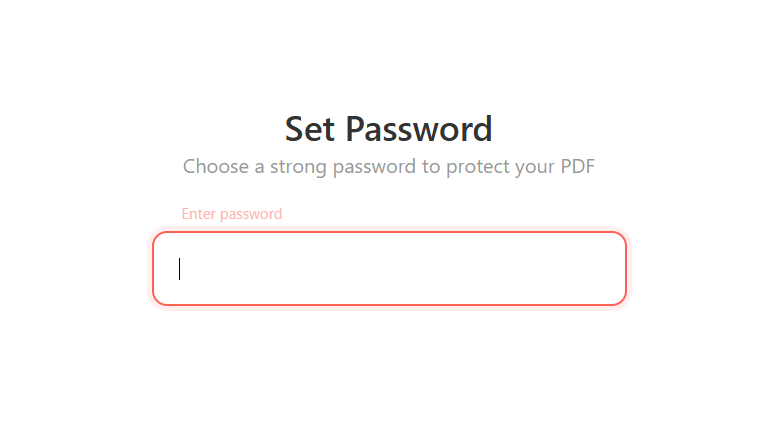
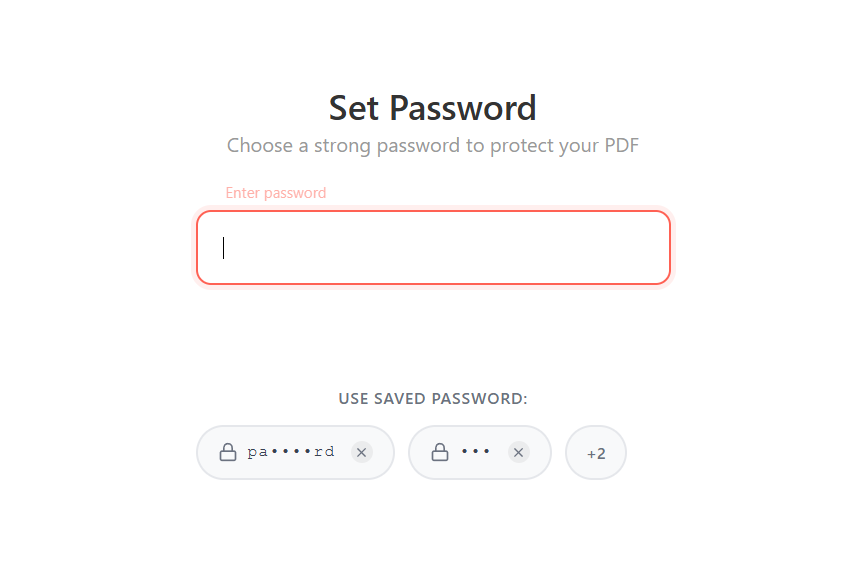
On the Set Password screen, type the password you want into the input field. As you type, a strength indicator shows whether the password reads as weak, medium, or strong.
Click Protect PDF.
Download the protected file. From now on, opening it in any PDF reader will prompt for the password.
Choosing a password that actually protects the file
The strength indicator is a guide, not a guarantee. A password is only as good as how hard it is to guess:
- Length beats complexity. A long passphrase of ordinary words
(
correct-horse-battery-staple) is harder to crack than a short string of symbols (P@ss1!), and far easier to remember. - Don't reuse a password you use for anything else. If this file gets out with the password attached, you don't want it to be a key to your other accounts.
- Don't put the password in the same email as the file. Send the file one way and the password another (a text message, a separate email, a phone call). An intercepted email with both is no protection at all.
- Avoid anything guessable from the document itself — the client's name, the invoice number, the date. The first thing anyone tries is the obvious.
Speed up repeat protection with saved passwords
If you protect the same set of documents regularly (a monthly client report, recurring payroll exports, anything where the password is shared across a batch of files), the tool offers to save the password the first time. Future files can then be protected with the same password in one click instead of retyping it each time.
How it works:
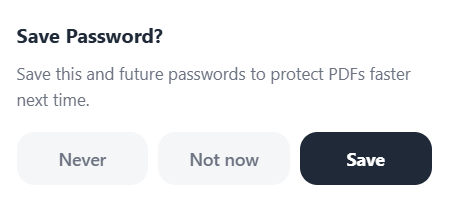
Right after a successful protection, a small Save Password? prompt asks whether to remember the password. Pick Save to store it for next time, Not now to skip this one, or Never to turn off the prompt altogether (good for shared or work computers where you don't want password history to persist).
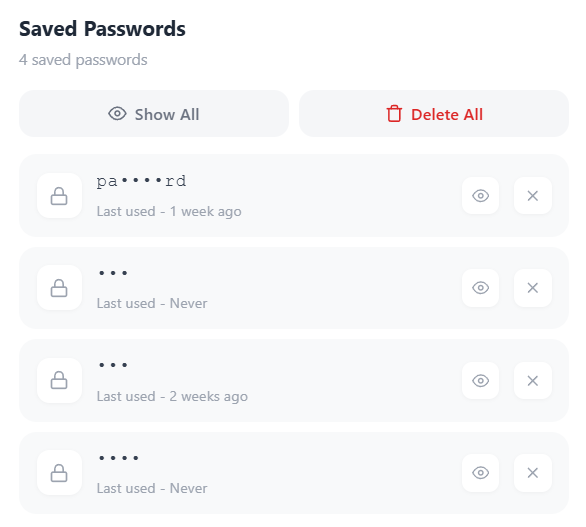
Saved entries sit in a Saved Passwords panel showing each entry, when it was last used, and quick controls to reveal or delete individual entries. There's a Delete All button if you want to clear the list at once.
The next time you upload a file to protect, the Set Password screen shows a Use saved password section below the input with your stored entries as clickable chips. One click and the field is filled, ready to apply.
Passwords in the list display masked by default (pa•••rd); you
have to click the reveal control to see the full string. The same
saved list works for both protecting and
unlocking, so a password you stored
while unlocking is available next time you need to re-protect a
file, and vice versa.
Common questions
What encryption does password protection use?
Modern PDF password protection uses AES encryption, the same standard class used to secure financial and government data. The practical weak point is almost never the encryption itself; it's a weak, guessable, or carelessly shared password.
Can I remove the password later?
Yes, if you know it. See our Unlock PDF guide for the steps. Unlock tools can only remove a password you already have. They can't bypass or recover a forgotten one.
I forgot the password. Can you recover it?
No. There's no recovery mechanism in the PDF format, and that's by design — a back door for you would be a back door for everyone. If you have the original unprotected file, re-protect that with a new password. If you don't, the file can't be opened.
Does protecting a PDF change its content or quality?
No. Password protection wraps the existing file in an encryption layer; the pages, text, images, and formatting are untouched. The file size barely changes.
Can I still edit a password-protected PDF?
Not while it's protected. You'd remove the password with Unlock PDF, make your edits (or merge, split, or compress it), then re-protect the result.
Should I password-protect a file I'm archiving long-term?
Usually not the archive copy itself. Encryption isn't permitted in PDF/A, the long-term archival format, and a password you'll need in 20 years is a password you'll have lost. Keep archives unencrypted in a secure storage system with its own access controls, and use password protection for files in active circulation.
Wrap-up
Password-protecting a PDF is a three-step operation: drop the file in, type a password, click Protect PDF. The part that actually determines whether the file is safe happens around those steps: choose a long password, don't reuse it, send it separately from the file, and keep an unprotected original somewhere you won't lose it — because there is no way to recover a forgotten PDF password.