


A PDF that refuses to open is one of those problems that feels worse than it usually is. The file is right there, the email it came in didn't bounce, but every PDF reader says some variation of "this file is damaged" or just shows blank pages. The good news: most "corrupted" PDFs are recoverable. The bad news: not all of them, and the recovery depends on what specifically broke.
This guide covers what causes PDF corruption, how to diagnose which part of the file is damaged, and how to repair it.
What "corrupted" actually means
A PDF file isn't one thing — it's a structured collection of objects with internal references between them. When something goes wrong, it's usually one specific layer that's damaged:
- Cross-reference table (xref). A PDF has an internal index pointing to where each object lives in the file. If this index is damaged or truncated, the reader can't find anything even though the content is technically still there.
- Document structure. The page tree, the catalog, the document outline — these tell the reader how the pages are organized. Corruption here leads to "blank pages" or "unable to load" errors.
- Content streams. The actual page content (text and graphics instructions). Damage here causes specific pages to render incorrectly while others work fine.
- Embedded fonts. Truncated or damaged font data shows up as missing characters, wrong glyphs, or "font not found" errors on certain pages.
- Image data. Damaged image streams render as broken or partial images.
The repair process diagnoses which of these layers is broken and tries to reconstruct it from whatever's intact.
Common causes of PDF corruption
The usual suspects:
- Interrupted downloads. The most common cause. A network drop during the last bit of a download leaves a truncated file. The end of a PDF (where the xref lives) is the most critical part; losing it makes the file unopenable.
- Email attachment corruption. Some email systems re-encode attachments in transit; rarely, the re-encoding damages the file.
- Storage corruption. Bad sectors on a disk, USB stick errors, cloud sync conflicts. Less common, but can affect any file.
- Forced quit during save. An application crashing while writing a PDF can produce a partial file.
- Software bugs. Buggy PDF generation tools sometimes produce files that work in some readers but not others — technically malformed but partially functional.
- Concurrent access. Two apps writing to the same file at once (rare but documented).
Before you try to repair
A few things to check first:
- Confirm the file is actually corrupted. Open the file in a different PDF reader. If Adobe Reader fails but Chrome or Preview opens it, the issue is your primary reader, not the file.
- Try the original source. If you got the file by email, ask the sender to re-send. A corrupted-in-transit copy can almost always be replaced with the source.
- Check your downloads folder. If a download failed partway, re-downloading is faster and more reliable than repairing.
If those don't apply (the file is the only copy, you can't get another version, repair is the only option), proceed below.
The steps
Open Blackpdf's Repair PDF tool and drop your damaged file in.
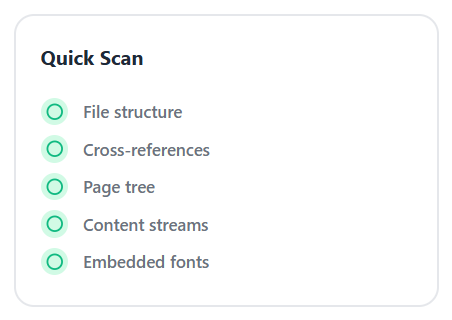
The tool runs a Quick Scan across the file, checking five layers where corruption usually lives: File structure, Cross-references, Page tree, Content streams, and Embedded fonts.
Click Repair PDF.
Download the repaired file.
What repair can and can't recover
Reliably recoverable:
- Damaged or missing cross-reference tables — the tool rebuilds the index by scanning the file for objects.
- Truncated files where the end is missing but most of the content is intact.
- PDFs that work in some readers but not others (technical malformations that strict readers reject).
- Damaged document structure that hides existing content.
Partially recoverable:
- Damaged content streams — repair can rescue pages where the underlying objects are intact even if the index is broken. Specific pages with corrupted content may remain damaged or be excluded.
- Files with missing embedded fonts — the repair can substitute with a system font, but typography won't match the original.
Not recoverable:
- Pages whose underlying content bytes are gone entirely (not just unreferenced — actually missing from the file).
- Files where the corruption removed more than ~50% of the byte data.
- PDFs that aren't PDFs at all (a renamed
.docx, a corrupted download that's now random bytes).
Repair is a recovery operation. The result is usually the most content you can salvage; sometimes that's the whole document, sometimes it's most of the pages, sometimes it's enough to make a manual reconstruction possible.
After repair
The recovered file may need follow-up steps:
- Verify the content. Open the repaired file and check that every page is intact. Missing or partial pages are common outcomes of severe corruption; you may need to manually reconstruct those sections.
- Re-OCR if needed. Repair can sometimes mangle the embedded text layer of scanned PDFs. If you depend on searchable text, re-run OCR PDF on the repaired file.
- Re-export if possible. If you have the source document (Word, InDesign, etc.) that produced the PDF, re-exporting from the source is more reliable than working from a repaired derivative.
- Save in multiple formats going forward. Once you've been bitten by file corruption, keeping a copy in the source format (and not just the PDF) is a small habit that prevents the same pain.
Common questions
Why does my PDF open in Chrome but not Adobe Reader?
Different readers have different tolerance for malformed PDFs. Chrome's PDF viewer is more forgiving; Adobe Reader is stricter. A PDF that works in Chrome but fails in Reader is technically malformed but partially functional — running it through the repair tool typically produces a file that opens in both.
Will repair preserve all my content?
Best effort. If the damage is minor (truncated xref, minor structural issues), yes — the content comes through intact. If the damage is severe (large content blocks corrupted, page tree destroyed), the repair recovers what it can and reports what's missing.
Can I repair a password-protected PDF?
Repair generally needs read access to the file structure, which encryption blocks. If you know the password, run the file through Unlock PDF first, then repair. If you don't have the password and the file is also damaged, the realistic recovery options are limited.
Why is the repaired file a different size than the original?
The repair process rewrites the file structure, which can produce a slightly different on-disk layout — sometimes smaller (the index gets rebuilt cleanly), sometimes larger (recovery procedures duplicate content rather than relying on potentially corrupted references). Either way, the visible content should match.
Will repair fix a wrong file extension?
No. If a file was renamed from .docx to .pdf, it's not a PDF
and repair can't change that. Look at the file with a hex editor;
real PDFs start with %PDF- followed by a version number.
Can repair recover deleted pages?
If the pages still exist in the file but the document structure references are damaged, yes. If the pages were genuinely removed (actually deleted from the file's byte stream), no — those bytes are gone.
Wrap-up
Most PDFs that won't open are recoverable. The repair process runs the file through diagnostic checks (cross-references, content streams, fonts, page integrity), reconstructs whatever's salvageable, and produces a working copy of as much of the document as the original damage allows.
Before assuming the worst:
- Try opening the file in a different PDF reader.
- Try re-downloading or asking the sender to re-send.
- If neither works, run it through Repair PDF.
For documents you genuinely can't lose, keep a backup in the source format (Word, InDesign, the original Excel) alongside the PDF. PDFs are great as a distribution format but they're not inherently more durable than any other file.